
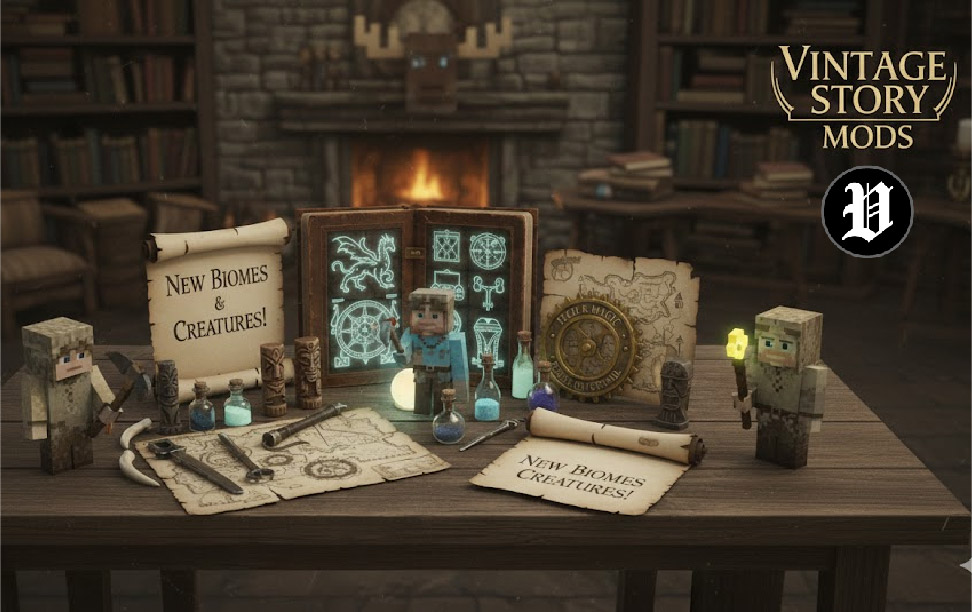
Vintage Story is a captivating sandbox game that stands apart from others like Minecraft, offering players an intricate crafting and survival experience set in a beautifully detailed world. While the game itself provides plenty of content, one of the best ways to enhance your adventure is through Vintage Story mods. These mods allow players to expand gameplay mechanics, improve graphics, adjust difficulty settings, and personalize their experience in ways the base game may not offer.
Whether you’re looking to add more creatures, improve weather patterns, or completely overhaul crafting systems, Vintage Story mods open up endless possibilities. In this guide, we’ll explore the top mods that can revolutionize your Vintage Story experience, explain how to install them, and provide tips for getting the most out of your mods.
What Are Vintage Story Mods and Why Should You Care?
Understanding the Basics of Vintage Story
Vintage Story is a game that thrives on its deep crafting system, realistic survival mechanics, and the freedom it provides to players. Set in a world full of dangers, rich environments, and complex survival elements, it’s easy to see why this game appeals to fans of open-world exploration. But, as with most sandbox games, the ability to mod the game takes it to a whole new level.
Modding allows you to tailor the game to your preferences—whether it’s tweaking the mechanics, enhancing visuals, or adding entirely new features. Through the Vintage Story modding community, you can find countless mods that cater to all types of players, from beginners to experienced survivalists.
Benefits of Using Mods in Vintage Story
Expand Gameplay and Features
Mods offer new mechanics that can drastically change the way you play. From adding new creatures and biomes to introducing new crafting systems, mods offer the flexibility to expand your world and experiences. Want to sail the seas or explore new dimensions? There’s a mod for that!
Improve Graphics and Visuals
While Vintage Story has beautiful default graphics, mods can take it to the next level. Whether it’s improved textures, dynamic lighting, or a complete overhaul of the game’s visual design, mods offer ways to make the world feel even more immersive.
Customizing Your Experience
Not every player enjoys the same playstyle. Some want a harder challenge, while others prefer a more relaxed experience. Mods can adjust the difficulty, alter the in-game economy, and even add quality of life features to make the game more enjoyable and suited to your tastes.
Best Vintage Story Mods to Transform Your Gameplay
Top Mods for Gameplay Enhancement
The “Better Tools” Mod
One of the most beloved mods in the Vintage Story community is the “Better Tools” mod. This mod enhances the crafting and upgrading system, offering new options for survival and resource management. Players can enjoy more advanced tools, allowing for quicker mining, better farming, and enhanced building possibilities.
“Sailing Mod”
For those who love exploring, the “Sailing Mod” opens up the oceans for seafaring adventures. Players can build boats and navigate the vast waters, discovering new islands, trading opportunities, and dangers. It adds a whole new layer to the game that’s perfect for anyone seeking to expand their Vintage Story world beyond its borders.
Graphics and Visual Enhancements
“Realistic Textures Mod”
If you’re looking to enhance the aesthetic experience, the “Realistic Textures Mod” is one of the top choices. It replaces many of the base game’s textures with more realistic ones, making the world of Vintage Story feel even more vibrant and immersive. From the look of the stone to the glow of fire, every element of the game is enhanced for visual appeal.
“Weather and Seasons”
The “Weather and Seasons” mod adds a dynamic weather system to the game, along with changing seasons that impact gameplay. Snow in winter, heavy rain in spring, and dry spells in summer create a more immersive world, while also adding challenges that require strategic planning to survive. This mod is perfect for players who appreciate a more realistic and evolving world.
Mods That Alter Game Difficulty
“Hardcore Survival”
For players who want a greater challenge, the “Hardcore Survival” mod is essential. This mod rebalances the game’s difficulty, increasing the danger of both environmental hazards and hostile creatures. It’s perfect for seasoned Vintage Story players looking to test their survival skills.
“Enhanced Wildlife”
The “Enhanced Wildlife” mod is a must for players who enjoy hunting, exploring, and interacting with creatures in the world. This mod adds more animals to the game, including both new wild animals and tameable creatures. The addition of more wildlife creates a livelier, more dynamic environment, making the world feel more alive and dangerous.
Quality of Life Mods
“Quick Access Inventory”
Managing inventory can be tedious, especially as you gather resources. The “Quick Access Inventory” mod addresses this issue by streamlining inventory management, allowing players to quickly access and organize their items. This mod makes gameplay smoother and more enjoyable, eliminating unnecessary inventory headaches.
“Storage Solutions”
For those who love to collect and store resources, the “Storage Solutions” mod provides new storage options, including larger chests and more organized containers. It’s a small but impactful addition that enhances gameplay by making resource management much easier and more convenient.
How to Install Vintage Story Mods: A Step-by-Step Guide
Preparing for Installation
Before you start installing mods, make sure your game is up-to-date and that you have a compatible version of Vintage Story for the mods you want to install. Always back up your game files to avoid potential issues or conflicts.
How to Install Mods Manually
- Download the mod: Visit trusted modding websites or forums to find the mod you want to install.
- Extract files: Most mods come in compressed files. Use a program like WinRAR to extract the files.
- Place in the Mods Folder: Copy the extracted mod files and place them in the “Mods” folder found in your Vintage Story directory.
- Activate the Mod: Launch Vintage Story and enable the mod in the mod settings.
Using Mod Managers
If you want a simpler installation process, you can use a mod manager like Vintage Story Mod Manager to install and manage mods. These tools automatically download, install, and update mods, making the whole process hassle-free.
Common Issues with Mods and How to Solve Them
Troubleshooting Crashes and Errors
Incompatibility with Game Updates
Sometimes, mods may cause crashes after a game update. This can be due to a mod being incompatible with the newest version of the game. To fix this, ensure that your mods are up to date and compatible with the current version of Vintage Story.
How to Handle Mod Conflicts
When using multiple mods, conflicts can arise, leading to crashes or errors. To avoid this, always read mod documentation for compatibility and check forums for advice on handling conflicting mods.
Ensuring Mod Safety
Always download mods from reputable sources, such as official modding sites or trusted community platforms. Avoid downloading from unknown sources to ensure your game files remain safe and secure.
Conclusion
Vintage Story mods open up a whole new world of possibilities, enhancing gameplay, improving visuals, and adding depth to the survival experience. Whether you’re looking to add new creatures, expand your crafting options, or create a more challenging survival experience, there’s a mod for every type of player. By following this guide, you’ll be well on your way to enhancing your Vintage Story experience with the best mods available.
If you haven’t already, start experimenting with the mods listed here and see how they transform your game. Happy modding!
FAQs
What are the best mods for beginners in Vintage Story?
Beginner-friendly mods like “Better Tools” and “Quick Access Inventory” are great for new players, as they enhance gameplay without complicating things too much.
Can I use multiple mods in Vintage Story?
Yes, you can use multiple mods, but it’s essential to check for compatibility to avoid crashes. Using a mod manager can help you manage and install mods more efficiently.
Are Vintage Story mods free?
Most mods are free, but some developers may offer donations to support their work. Always ensure you’re downloading from trusted sources to avoid any potential issues.
For More Update Visit: Vintage Posts
